

Pay-per-click (PPC) advertising puts your community at the top of Google when a family is actively searching, and you pay only when someone clicks. It’s especially useful when you’re opening a new community, lifting occupancy at one that’s struggling, or trying to rely less on paid referral sites.
It’s also easy to waste money on. Broad keywords, ads that show to people three states away, and landing pages that don’t match the ad all eat budget without producing tours. These seven tips cover what makes the difference for assisted living and senior living communities.
1. Start with keyword research
Every campaign starts with choosing the searches you want your ads to appear for. It’s the most time-consuming part of setup and the most important. Use Google’s Keyword Planner (inside Google Ads) and your own website data to see the phrases families really use, such as “assisted living near Boston, MA”, “memory care cost”, or “independent living with meals”.
Look at what’s already working, too. If your website or SEO work has been running a while, the searches that already bring visitors to your site are a good starting point for paid campaigns.
2. Go after long-tail keywords
Long-tail keywords are longer, more specific searches. They get less traffic, but the people searching them are closer to a decision, there’s less competition, and clicks often cost less. Large referral sites can outbid you on “assisted living”. They’re less likely to beat you on “pet-friendly assisted living in Peabody, MA”.
Build these around what makes your community different: a care type, a lifestyle, an amenity or a neighborhood. If your community focuses on active living, gardening or a particular faith tradition, those are your long-tail terms.
3. Write ads for both seniors and adult children
Many searches are done by an adult child on a parent’s behalf. Others come from seniors planning ahead for themselves. Write separate ads, and if you can, separate ad groups, for each. Make every part of the ad as specific as possible: headline, description, and extensions such as your phone number, location and a “Book a tour” link.
4. Set your location targeting tightly
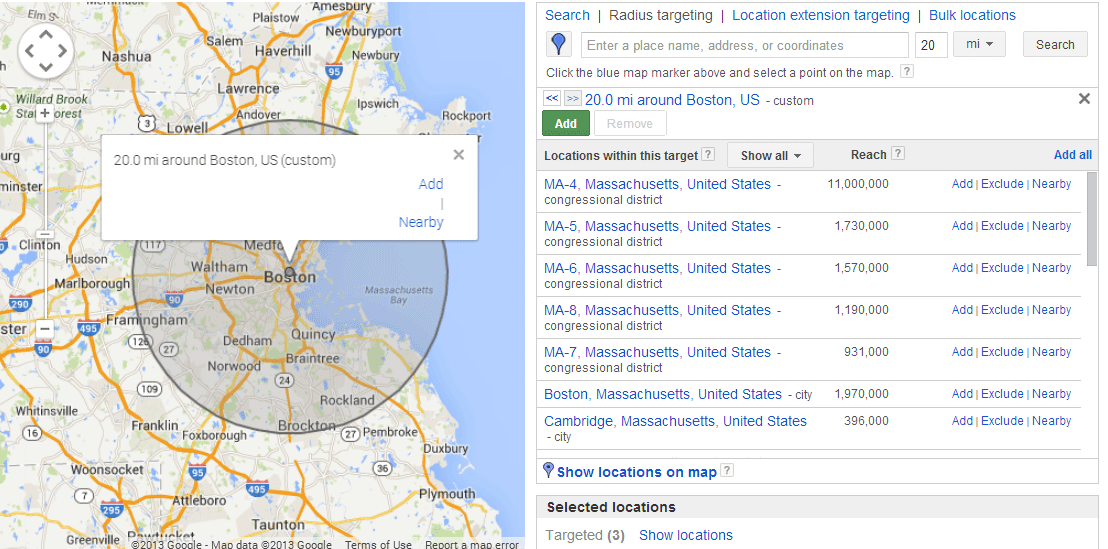
Google Ads lets you show ads only to people within a set distance of your community or in particular regions. Most of your move-ins will come from families nearby, or from adult children searching for a parent who lives nearby. Set targeting so your Tennessee community doesn’t show up for someone searching in New York, and review the location report to see where clicks actually come from.
5. Use negative keywords
Negative keywords stop your ads from showing for searches you can’t serve. If you’re an assisted living community without skilled nursing, add “skilled nursing” and “nursing home” as negatives. Add “jobs”, “careers” and “salary” too, so you’re not paying for clicks from job seekers. This is one of the fastest ways to cut wasted spend.
6. Send every ad to a landing page that matches it
A landing page is the page your ad sends people to. Its job is to turn the visit into an inquiry, so it needs one clear offer (book a tour, check availability, get pricing) and a short form or a click-to-call button.
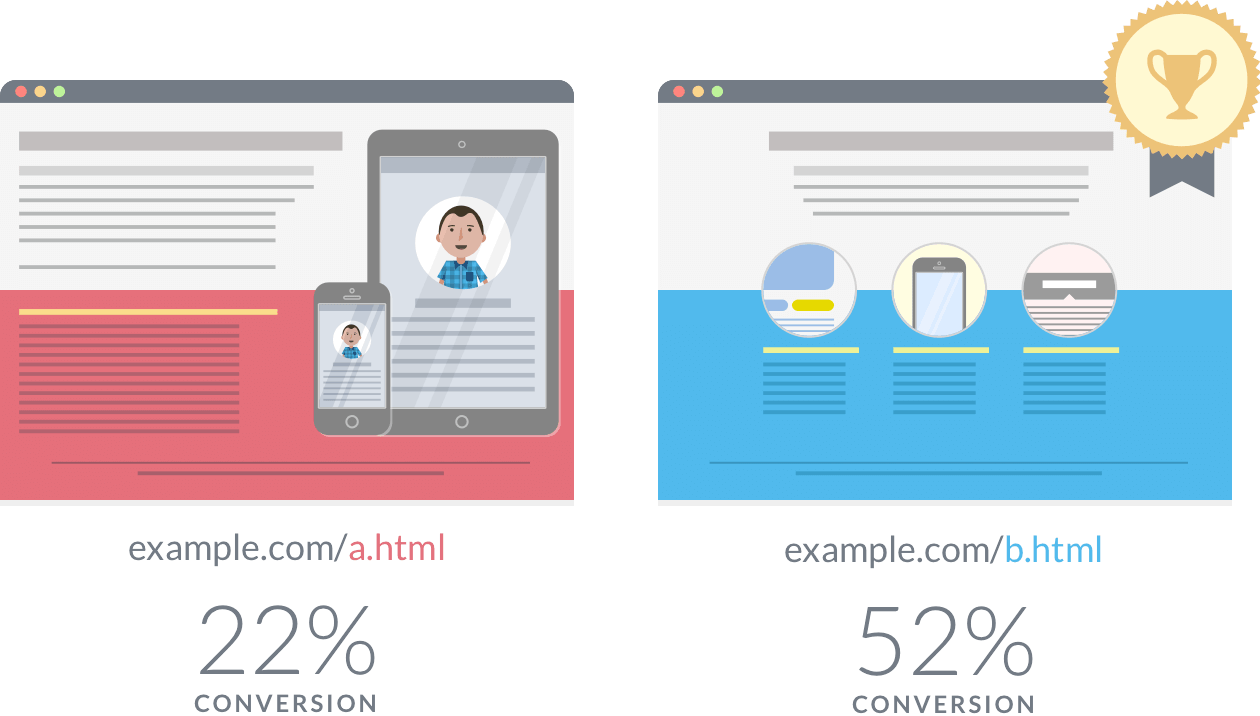
The page has to match the ad. Someone who clicks an ad for assisted living and lands on a memory care page will likely hit the back button. A close match also improves your Quality Score, which can lower your costs and lift your ad position.
WordStream has reported an average website conversion rate of about 2.35%, with the top 10% of companies converting three to five times better. Small changes to a landing page, such as the headline, form length or button wording, can make a big difference, so A/B test them.
7. Track tours and move-ins, not just clicks
Set up conversion tracking for form fills and calls, and connect it to your CRM so you can see which campaigns produce tours and move-ins, not only leads. Check results regularly, move budget toward the ad groups that produce tours, and pause the ones that don’t.
The last step isn’t in Google Ads at all. A click only turns into a tour if someone on your team follows up quickly. Paid leads that wait a day for a call are mostly wasted budget. (See How Speed-to-Lead Became the Easiest Unfair Advantage in Senior Living.)
Key takeaways
- Research the searches families really use before you build campaigns.
- Long-tail and local keywords are where single communities can compete.
- Write separate ads for seniors and for adult children.
- Tight location targeting and negative keywords cut wasted spend fast.
- Match every ad to its landing page, and test those pages.
- Measure tours and move-ins, then follow up on every lead quickly.
PPC works best alongside local SEO and a fast follow-up process. If you want to see where your paid leads are going after they come in, book a call with NextWave.
Related reading: Senior Living PPC: How to Compete With Paid Referral Sites · Local SEO Strategies for Senior Living Communities