

Families no longer search for “nursing homes”. They search for “assisted living”, “memory care” or “independent living near me”, and the words they choose tell you exactly what they need. If your website still uses the old language, or only the industry’s language, you will not show up when they look.
Senior living SEO starts with knowing which words families use, then putting those words in the right places on a site that search engines trust. Here is how search terms have changed and what to do about it.
How senior living search terms have changed
Over the past decade, searches for “nursing home” have declined while searches for “assisted living”, “senior living”, “memory care” and “skilled nursing” have grown. Families are also searching for more specific help, such as in-home care, respite care and part-time help for an aging parent.
Who is searching changes the words too. As Google’s Marc Heneghan put it: “When Boomers are searching for themselves, they tend to look for things like independent living or 55+ active communities. But when they’re looking for others, they tend to look for things like skilled nursing or assisted living communities.”
That gives you two audiences with two vocabularies. Your website needs pages that speak to both.
What this means for your community
Use the words your families use. Check Google Trends and a keyword tool such as Moz or SEMrush to see which terms are growing in your area. Then use those terms consistently on your website, your Google Business Profile, your directory listings and your social media.
Search is also more conversational than it used to be, because people speak their searches into phones. “Best senior living communities” is now often “what is the best assisted living near me”. Write headings and FAQ answers that match how people actually ask.
How to optimise a blog post for SEO
Every blog post is a new chance to rank for a term families search. Optimise each one before you publish.
1. Choose one or two long-tail keywords
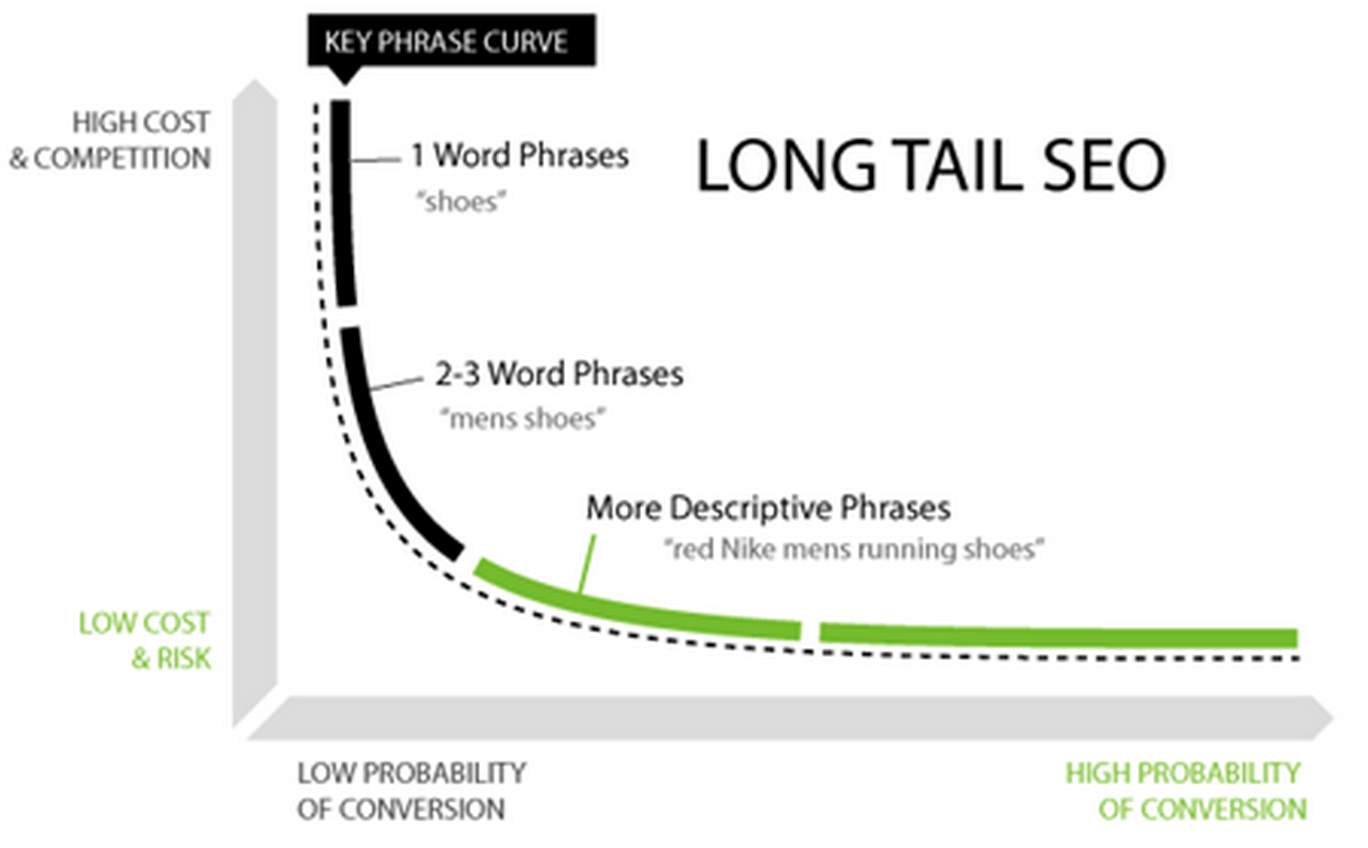
Pick one or two specific phrases per post, such as “cost of assisted living in Denver” rather than just “assisted living”. Specific phrases have less competition and attract families who know what they want.
2. Write naturally around them
Use the keyword where it fits naturally and write for people first. Content that reads well and answers the question keeps visitors on the page, which search engines notice.
3. Put keywords in the right places
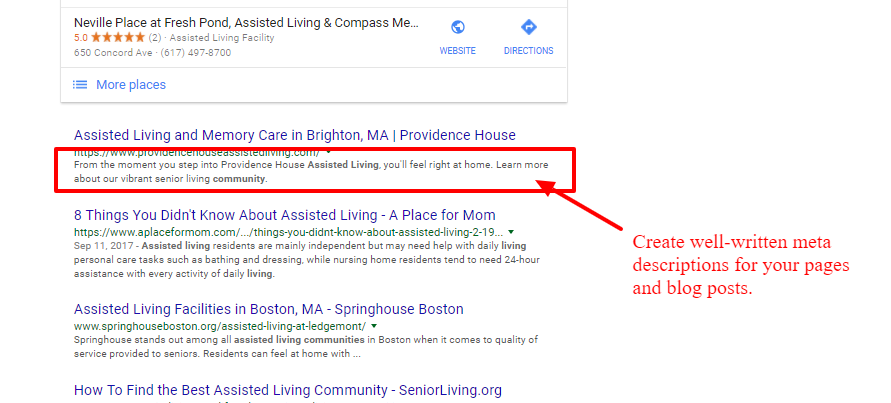
Include your keyword in the post title, the H1 and at least one H2, the URL, the meta title and meta description, and the alt text of your images. Write a meta description that clearly says what the page offers, because that is what families see in the search results.
4. Use your own images
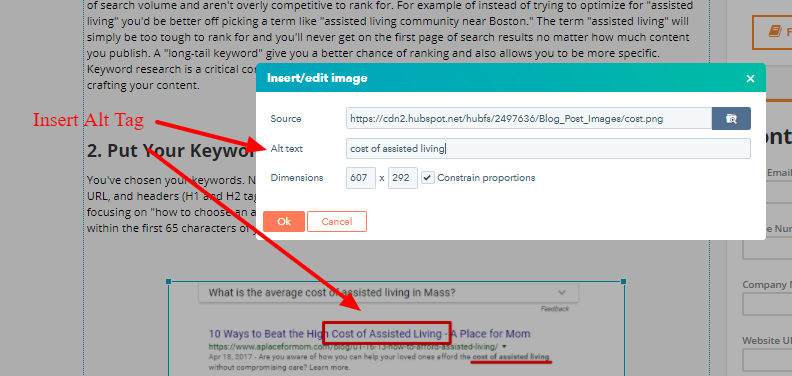
Real photos of your community beat stock images. Add descriptive alt text to every image so search engines understand what it shows.
5. Link to your own pages
Link from each post to related pages on your site, using the keyword as the link text. Internal links tell search engines which pages matter most for which terms and keep visitors exploring.
Earn backlinks to build authority
A backlink is a link from another website to yours. Search engines treat links from trusted, relevant sites as a vote of confidence, so they remain one of the strongest ranking signals.
Good sources for senior living backlinks include local news coverage, chambers of commerce, healthcare partners, senior resource sites and directories. Publishing genuinely useful content, such as a guide to paying for care, also earns links naturally because other sites want to reference it.
Keep the technical basics in order
Make sure your site works well on phones, loads quickly and uses a secure (HTTPS) connection. Search engines favour sites that are mobile friendly and secure, and so do families.
Start with your search terms
Look at the words on your homepage and your main service pages today. If they do not match how families search for care in your area, start there.
What search terms are bringing families to your website right now?