

Senior living sales leaders keep running into the same problem. Their teams are not working every lead, and many leads get one or two attempts before they are forgotten. It is rarely a motivation problem. It is a memory problem. Salespeople are juggling tours, calls and paperwork, and the follow-up steps slip.
The fix is to stop relying on memory. Task automation in your CRM makes sure the right person gets the right task at the right time, for every lead.
Treat follow-up as a series of tasks
Following up with a new lead is really a sequence of tasks: call within minutes, text if there is no answer, email a helpful resource, call again the next day and so on. When those steps live in someone’s head, they get skipped. When your CRM creates each task automatically, they get done, and every family gets the same consistent experience.
Use your CRM as a task manager
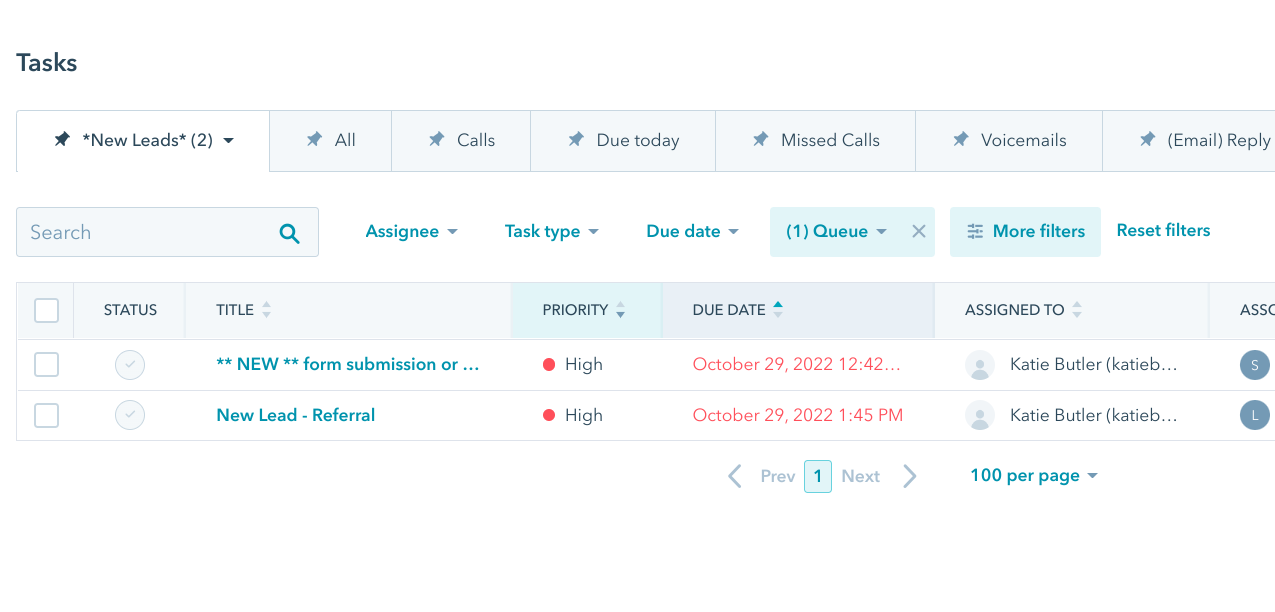
Your CRM is where lead data is stored and every interaction is recorded. Most CRMs also include workflows: a set of instructions such as “when a new lead comes in, create a call task for the community’s sales counsellor, due in five minutes”. Each salesperson then works from a simple task queue instead of a memory.
Make sure your CRM connects to your phone system, email and calendar so calls, texts and meetings are logged automatically. At NextWave, our own team calls from JustCall, a cloud phone system connected to HubSpot, so every call lands on the contact record without anyone typing it in.
Build your cadence before you automate it
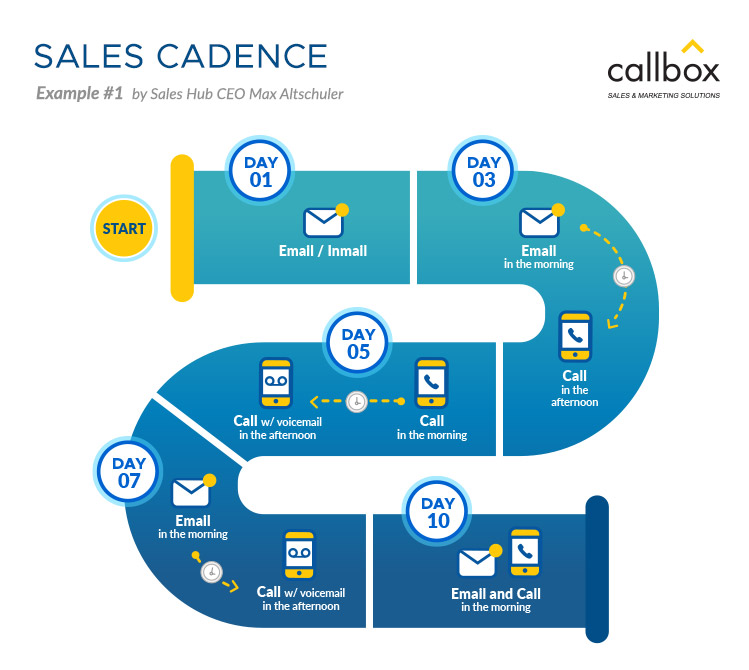
Map your follow-up process on paper first. How many calls, texts and emails? Over how many days? What happens when someone answers? Most communities have an idea of their cadence but have never written it down. Once it is agreed, rebuild it in your CRM’s workflow tool.
5 task automation workflows every senior living team needs
1. Make the first call fast
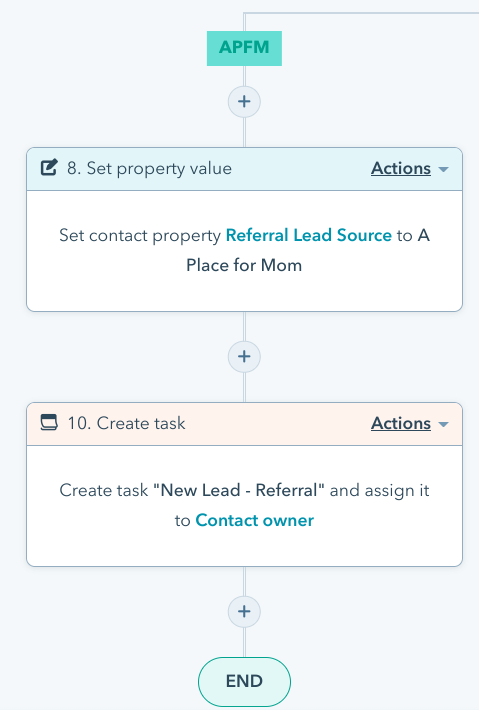
Create a call task the moment a new lead arrives, assigned to the right person. This one workflow makes sure every lead gets a response. You can also branch by lead source, for example tagging and routing referral-directory leads differently from website leads.
2. Follow up over time
Most families will not answer the first call. Automate the next steps in your cadence, so each call, text and email task appears on the right day until the lead responds or the cadence ends.
3. Return missed calls
When a prospect calls back and the salesperson is unavailable, create a task immediately so the call is returned quickly, not at the end of the day.
4. Reply to text messages
If your cadence includes texts, and it should, create a task whenever a prospect replies, so nobody leaves a family waiting.
5. Re-engage leads that went quiet
Some leads will go through the whole cadence without responding. Do not delete them. Move them into a long-term nurture sequence and set a task to try again in a few weeks or months. Senior living decisions can take a long time.
Automate qualifying and tour booking too
Automation can do more than create call tasks. Online forms with qualifying questions, such as who the move is for, care needs, timeline and budget, give your team context before the first call, and lead scoring helps them prioritise. A scheduling link lets families book a tour directly into the right calendar, which matters more as you add communities and salespeople.
Support the long sales cycle with content
The senior living decision can take months. Sales enablement means giving your team the content and tools to stay helpful during that time: guides on paying for care, checklists for tours and short videos they can send at the right moment. Automated emails can share this content between calls, and every touch is logged in the CRM.
Stop relying on memory
You do not need to depend on every salesperson remembering every step. Write down your cadence, build it in your CRM and let task automation make sure every family gets a fast, consistent response.
At NextWave, we build task automation into senior living CRMs and run fast lead follow-up for operators.